> For the complete documentation index, see [llms.txt](https://docs.kairos.com/documentation/llms.txt). Markdown versions of documentation pages are available by appending `.md` to page URLs; this page is available as [Markdown](https://docs.kairos.com/documentation/resources/app-sdk.md).
# App/SDK
Kairos – Secure Identity Verification
*Access the Kairos IDV mobile application on the* [*Google Play Store*](https://play.google.com/store/apps/details?id=com.kairosidv) *or* [*Apple App Store*](https://apps.apple.com/in/app/kairos-idv/id6756260296)*, or explore the source code in the* [*GitLab repository*](https://gitlab.com/kairos-ai-public/kairos-idv-mobile-app)*.*
## 1. Overview
The Kairos Identity Verification (IDV) application is a production-grade React Native mobile application designed to deliver seamless, end-to-end identity verification experiences on Android and iOS. Built on top of the Kairos API, the app integrates multiple biometric and document-based verification modalities into a unified, developer-friendly platform.
This document provides a comprehensive reference for the application's architecture, verification workflows, API integration patterns, configuration requirements, and deployment procedures. It is intended for software engineers, solution architects, and technical stakeholders involved in the implementation of the Kairos IDV solution.
### 1.1 Application Summary
| Platform | Android & iOS (React Native 0.79.2) |
| ------------------ | --------------------------------------------------------------------------------------- |
| Primary Purpose | Mobile identity verification using Kairos API |
| Verification Modes | Full ID Verification, Document Verification, Biometric Verification, Liveness Detection |
| Distribution | Google Play Store & Apple App Store |
| API Dependency | Kairos Identity Verification API (docs.kairos.com) |
### 1.2 Why the Kairos IDV App is Useful for Customers
The Kairos IDV App provides a reference implementation for integrating identity verification workflows into mobile applications. The Kairos approach gives developers full control over the user experience and integration architecture.
By using the Kairos API directly or adapting the reference application, organisations can:
* Maintain complete control over their application’s UI/UX
* Customise verification workflows to fit their product requirements
* Avoid vendor lock-in to third-party SDK frameworks
* Integrate identity verification seamlessly into existing mobile applications
* Use the application as a working reference implementation for faster development
This flexibility allows engineering teams to design verification experiences that match their brand, user journey, and security requirements while still leveraging the full capabilities of the Kairos identity verification platform.
## 2. Core Verification Features
The application exposes four distinct verification workflows, each targeting a specific identity assurance use case. All workflows share a consistent UX pattern to minimise user friction and simplify engineering integration.
| Verification Mode | Description |
| -------------------------- | ------------------------------------------------------------------------------------------------------------------------------------------------------------------------- |
| **Full ID Verification** | End-to-end identity check combining government-issued document capture with live facial comparison against the document photo. |
| **Document Verification** | Standalone document authentication. Scans front and back of ID documents, verifies authenticity, and extracts structured data fields. |
| **Biometric Verification** | Face-matching workflow comparing a live selfie against an uploaded reference image using Kairos facial biometrics. |
| **Liveness Detection** | Anti-spoofing check that determines whether the captured subject is a live person or a presentation attack (photo, video, mask), returning a quantitative liveness score. |
## 3. Verification Workflow
All four verification modes implement a standardised, six-stage user journey.
### 3.1 Standard Flow Sequence
| Step | Stage | Description |
| ---- | ---------------- | ------------------------------------------------------------------------------------------------------------------ |
| 1 | **Start Screen** | User selects verification type and initiates the session. Configuration parameters are loaded from secure storage. |
| 2 | **Capture** | Camera interface renders for document scanning or selfie capture using `react-native-vision-camera` |
| 3 | **Preview** | Captured images are presented for user review prior to submission, allowing recapture if quality is insufficient. |
| 4 | **Submit** | Images are pre-processed and transmitted to the Kairos API endpoint. |
| 5 | **Processing** | The application polls the Kairos API at defined intervals. |
| 6 | **Results** | Verification outcome (Accept / Reject) is rendered with supporting detail fields from the API response. |
\
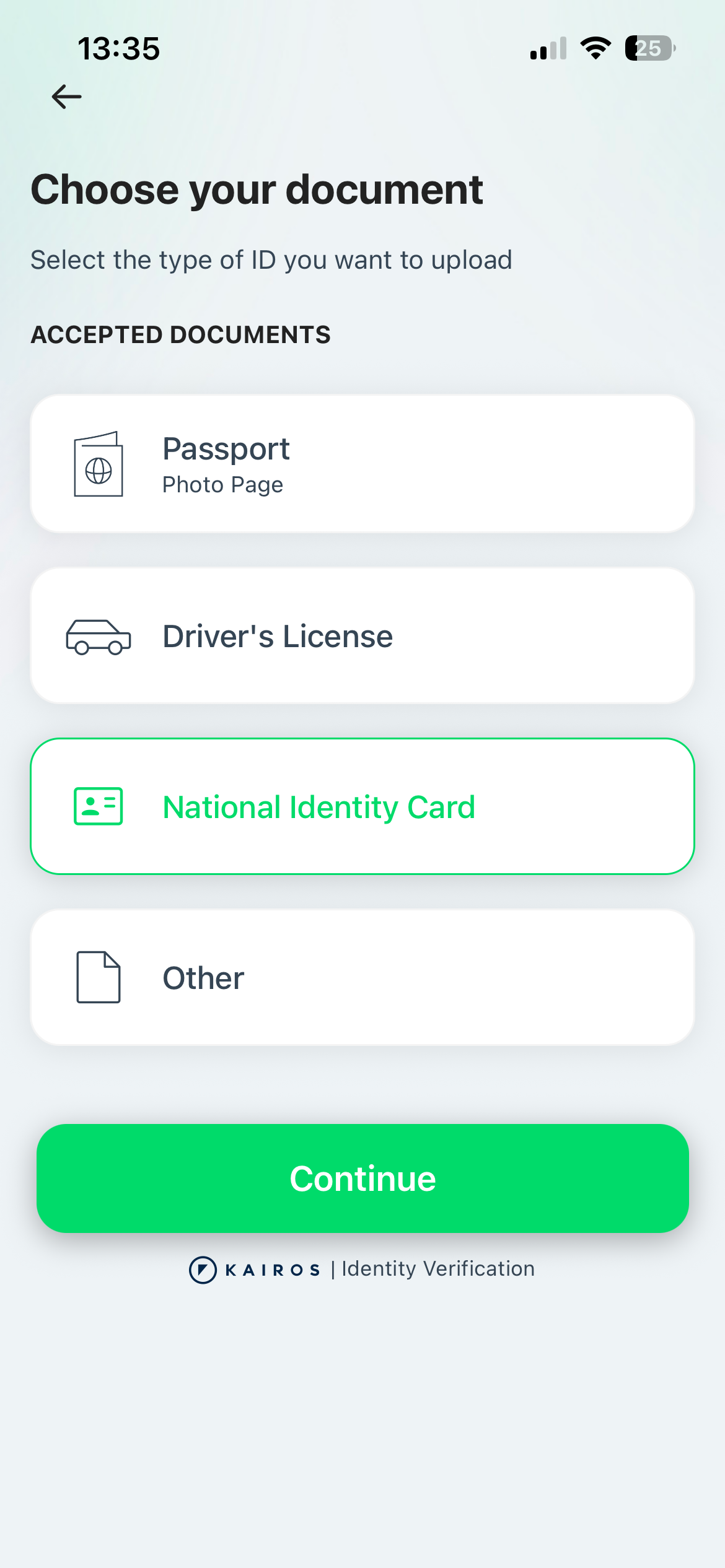
Sample Images:
## 4. Technical Architecture
The application is built with a modular, service-oriented architecture. Core responsibilities are separated between UI components, business logic hooks, API service layers, and native camera utilities to facilitate maintainability and testability.
### 4.1 Technology Stack
| Category | Library / Tool | Purpose |
| ------------------ | ----------------------------------- | ---------------------------------------------------- |
| Framework | **React Native 0.79.2** | Cross-platform mobile development |
| Camera | `react-native-vision-camera` | High-quality image capture for documents and selfies |
| Navigation | **React Navigation (Native Stack)** | Screen routing and transition management |
| Storage | **AsyncStorage** | Secure, persistent credential storage |
| Image Processing | `react-native-image-resizer` | Resize selfies and document images |
| Photo Manipulation | `react-native`-`photo-manipulator` | In-app image transformations |
| QR Scanning | `ml-kit barcode-scanning` | Credential provisioning via QR code |
| HTTP Client | **Axios** | API request management and response handling |
| State Management | **React Hooks + Context API** | Local and cross-component state management |
## 5. API Integration & Security Architecture
> **Security Notice:**\
> This demo application calls the Kairos API directly from the client for illustrative purposes.\
> Direct API key exposure in production mobile applications constitutes a critical security vulnerability. Production deployments must implement the backend architecture described below.
### 5.1 Credential Configuration
The application includes a dedicated credential provisioning screen (Connect to Kairos) that accepts API credentials via QR code scan. The QR code payload is a JSON object with the following schema:
```
{
"app_id": "",
"app_key": "",
"appVersion": ""
}
```
*Credentials are persisted using AsyncStorage with device-level encryption. QR-based provisioning eliminates manual key entry and reduces the risk of typographic errors in credential strings.*
#### Getting API Credentials from the Developer Dashboard
QR codes for credential provisioning are generated and managed through the Kairos Developer Dashboard. To retrieve your application's QR code:
1. Navigate to the Kairos Developer Dashboard:
2. Sign in with your Kairos account credentials.
3. Select the application you wish to configure from the applications list.
4. Locate the QR code on the application detail page.
5. In the mobile app, tap Connect to Kairos on the home screen and scan the QR code.
*Access to the Kairos Developer Dashboard requires an active Kairos account. If you do not yet have an account, you can create one through the* [Kairos Developer signup page](https://developer.kairos.com/login/digital_onboarding).
### 5.2 Recommended Production Architecture
For production deployments, API credentials must never be embedded in or transmitted from a mobile client. Refer [Calling the API](https://docs.kairos.com/documentation/overview/getting-started#calling-the-api) for more information.
#### Production Data Flow
1. Mobile application captures document and selfie images on-device.
2. Images are transmitted securely to the operator's backend server.
3. Backend server authenticates with Kairos API using server-side credentials.
4. Backend receives a Request UUID from Kairos and begins polling for completion.
5. Upon polling resolution (HTTP 200), backend receives the final verification result.
6. Backend returns only the verification decision (Accept / Reject) to the mobile client.
## 6. Development Setup & Prerequisites
### 6.1 System Requirements
| Requirement | Android | iOS |
| ------------------- | ------------------------------- | -------------------------------- |
| **Node.js** | >= 18.x | >= 18.x |
| **OS** | Windows / macOS / Linux | macOS only |
| **IDE** | Android Studio | Xcode 15+ |
| **Package Manager** | CocoaPods (optional) | CocoaPods (required) |
| **Runtime** | Android SDK + Emulator / Device | iOS Simulator or Physical Device |
### 6.2 Installation
#### Step 1 - Clone the Repository
```bash
git clone
cd kairos-idv-mobile-app
```
#### Step 2 - Install JavaScript Dependencies
```bash
npm install
```
#### Step 3 - iOS Native Dependencies (macOS only)
```bash
cd ios
pod install
cd ..
```
***
### 6.3 Running the Application
#### Start Metro Bundler
```bash
npm start
```
#### Android
```bash
npm run android
```
#### iOS Simulator
```bash
npm run ios
# or target a specific device:
npm run ios -- --simulator="iPhone 16 Pro"
```
#### iOS Simulator
1. Connect iPhone via USB and enable Developer Mode (Settings > Privacy & Security > Developer Mode).
2. Open ios/KairosIDV.xcworkspace in Xcode.
3. Select the target device from the device dropdown.
4. Configure Signing & Capabilities with your development team and a unique bundle identifier.
5. Trust the developer certificate on-device when prompted.
6. Run via Xcode or execute: npm run ios -- --device
## 7. Required Device Permissions
The application requires the following operating system permissions to function correctly. Users will be prompted to grant these permissions at runtime.
#### 7.1 iOS (Info.plist)
| Permission Key | Usage |
| ------------------------------------- | ------------------------------------------------------ |
| `NSCameraUsageDescription` | Scanning QR codes and capturing document/selfie images |
| `NSPhotoLibraryUsageDescription` | Accessing saved images for biometric reference upload |
| `NSPhotoLibraryAddUsageDescription` | Saving processed verification images |
| `NSLocationWhenInUseUsageDescription` | Embedding GPS metadata in captured photos |
#### 7.2 Android (AndroidManifest.xml)
* **CAMERA** — Document capture and selfie acquisition
* **READ\_EXTERNAL\_STORAGE** — Access user photos for biometric reference upload
* **WRITE\_EXTERNAL\_STORAGE** — Save captured and processed images
## 8. References & Resources
| Resource | URL |
| -------------------- | ---------------------------------------------------------------- |
| Kairos Website | |
| Kairos Documentation | |
| API Getting Started | |
---
# Agent Instructions
This documentation is published with GitBook. GitBook is the documentation platform designed so that both humans and AI agents can read, navigate, and reason over technical content effectively. Learn more at gitbook.com.
## Querying This Documentation
If you need additional information that is not directly available in this page, you can query the documentation by asking a question.
Perform an HTTP GET request on the following URL with the `ask` and `goal` query parameters:
```
GET https://docs.kairos.com/documentation/resources/app-sdk.md?ask=&goal=
```
`ask` is the immediate question: it should be specific, self-contained, and written in natural language.
`goal` is what the user is ultimately trying to achieve, the reason they need the answer. Sharing it helps GitBook give you a better, more relevant answer. A goal is most helpful when it describes the outcome the user wants rather than restating the question. For example, with `ask=how do I create an API token`, a goal like `automate deployments from our CI pipeline` lets GitBook tailor the answer to that use case.
The response will contain a direct answer to the question and relevant excerpts and sources from the documentation.
Use this mechanism when the answer is not explicitly present in the current page, you need clarification or additional context, or you want to retrieve related documentation sections.